
remote desktop Apple MAC stuck on login screen
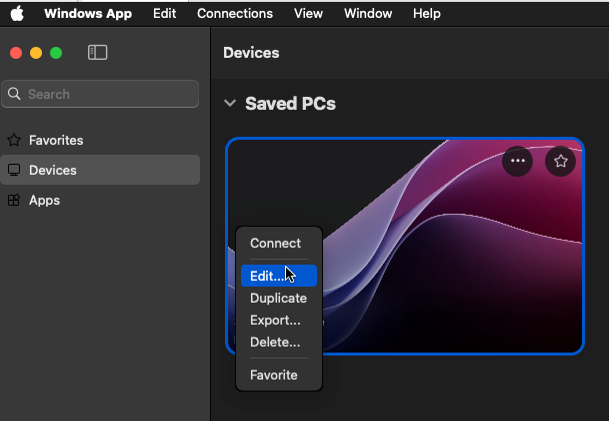
Remote Desktop MAC, if the Microsoft app is loading for a long time without logging in, open the Microsoft app and right-click on the connection to remote desktop and select edit
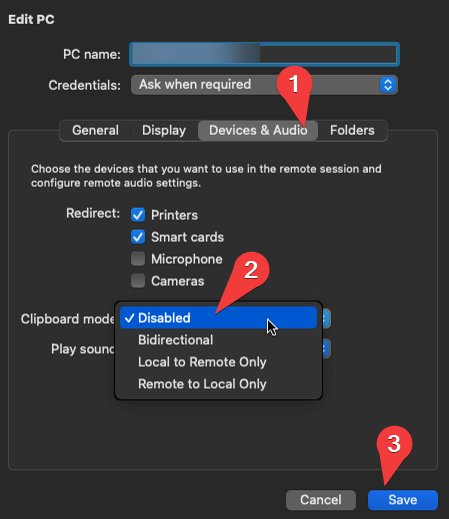
Then click on Device & audio and then on clipboard mode. There you select disable and then save.
Then right-click on the connection to remote desktop and select connect.